Introducing Oz: the orchestration platform for cloud agents

Today we are excited to launch Oz: a cloud-based platform for running, managing and orchestrating coding agents at scale.
Oz is the easiest way to go all-in on cloud coding agents, without spending time and effort building agent scaffolding.
Oz makes it easy to:
- Launch parallel cloud coding agents to multithread complex development tasks
- Automate repetitive development tasks (e.g. feature-flag cleanup, documentation updates, fixing server crashes)
- Build apps on top of agents, like bug triage and incident response systems
Oz agents are auto-tracked: every agent produces a link, an audit trail, and is controllable via CLI and API – the exact building blocks you need for orchestrating unlimited number of agents in the cloud.
Let's drill into the problems Oz solves.
First, Oz makes it easy to scale agents off of your laptop. Today’s agentic workflow often involves running more than one coding agent at a time – often so many that you start to hit limits around local git checkouts, CPU and memory usage. With Oz, you can interactively or programmatically spin up an unbounded number of agents.
Second, Oz makes it easy for individuals and teams to automate common development tasks. Before Oz, a developer who wanted to build automations using coding agents – e.g. a tool that fixed errors like server crashes or updated unit tests in the background – had to stand up a bunch of cloud infra for sandboxing agents, tracking their output, steering them, making them visible to the team – with Oz, this is all built in.
Finally, Oz makes it easy to build apps on top of coding agents. Examples are issue triagers, fraud finders, incident response systems – really any app a developer would build for themselves that would benefit from incorporating a coding agent. Oz’s coding agent-as-a-service makes it easy to build intelligence into any app.
We built Oz because we wanted more when working with agents in all these areas.
Why we built Oz
As we scaled our usage of agents internally, we began feeling the limits of the current flow. We wanted to:
- Run more agents than our machines could handle.
- Automate repetitive jobs, like writing changelogs and updating docs.
- Build internal apps on top of intelligent agents to help us manage user issues.
We built Oz to solve these problems for us, but in a principled way that we think will be useful in general.
Here are Oz’s design principles:
- The starting point should be in the terminal – the natural control plane for agentic development.
- It should be a programming-first approach – Oz gives developers complete control.
- It should come with everything you need – developers that want to scale agents shouldn’t have to waste time building scaffolding (think “Vercel” or “Supabase” for deploying agents).
- It should support arbitrary orchestration patterns – we are ambivalent to whether it’s team leader / teammates, or Ralph Wiggum, or whatever comes next, etc.
- It should be usable as a standalone agent, with or without Warp’s terminal– via CLI, API, or a web interface.
- It should have a first-class integration with Warp.
- It should support teams – Claude Code is built for individuals, Oz is built for teams.
How we use Oz internally
Let me show you a few ways that Warp has used Oz in the last week. Right now, Oz is writing 60% of our PRs, and that number is only increasing.
Ported mermaid.js to Rust with parallel agents
Warp is written with a custom Rust UI framework, which means we can’t leverage some common libraries like mermaid.js to do visualizations. I used Oz to parallelize the task of recreating the mermaid framework in rust, programmatically spinning up one agent per diagram type. Each Oz agent even used Computer Use to compare results to the canonical mermaid result.
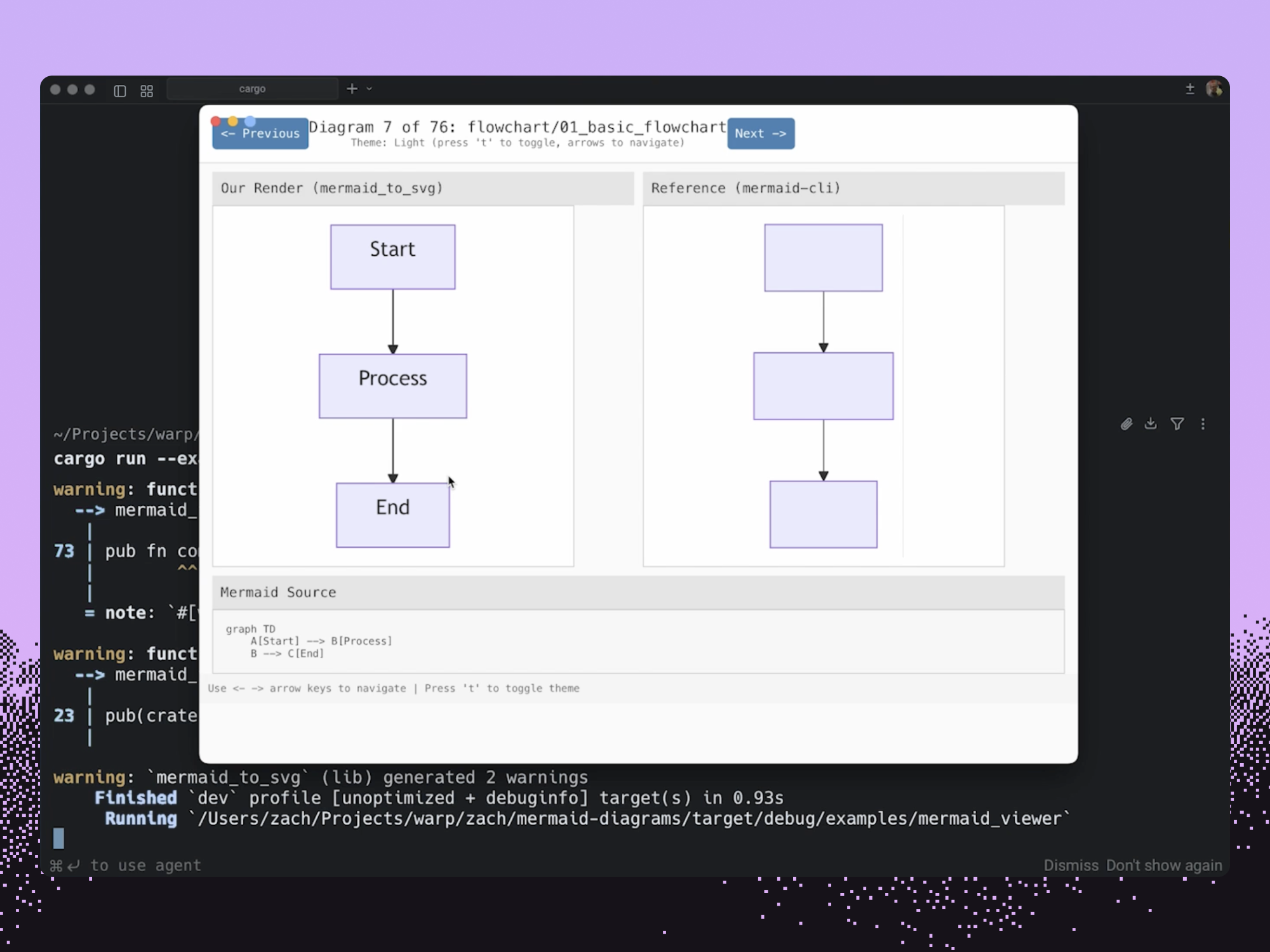
Without Oz, I probably would have:
- Run 15 agents in different tabs of Warp, with a different clone of our warp-internal repo in each one
- Run an agent for each diagram type sequentially
- Done manual visual comparison rather than computer use to guide the feedback loop
- Left this GitHub issue on our backlog 🙂
Note: This feature is still under development.
Built a fraud bot that runs constantly
Offering AI on our free plan means we have to constantly watch for fraud: monitor new signups, look for suspicious usage patterns, and push fixes to patch holes. Effectively managing fraud is what enables us to offer AI at all to non-paying users.
One of our engineers used Oz to create a fraud-bot: a fraud-finding and squashing agent that runs every 8 hours, not just identifying fraud, but proactively making PRs to block it. Fraud-bot found and wrote PRs to stop nearly $60K of fraudulent Warp usage on the run it did one morning.
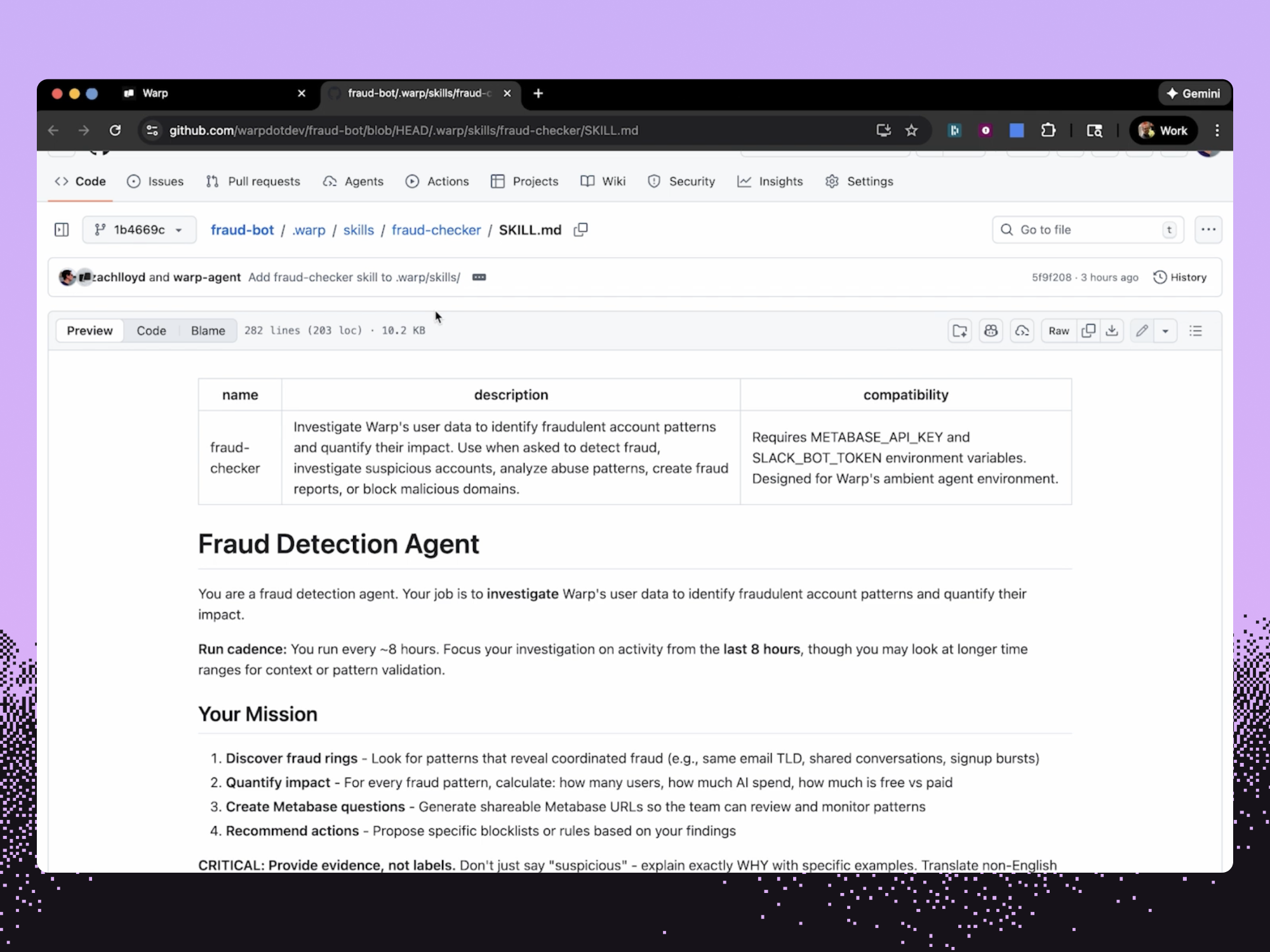
Before Oz, our team was:
- Manually monitoring and researching suspicious usage patterns
- Conducting fraud checks less frequently, 1-2 times per week instead of three times a day
Created an issue triage app
PowerFixer is a CLI app that lets our engineering team quickly review new issues that have been submitted on GitHub, dedupe them, and dispatch agents to fix them. It’s an easy way for our engineering team to go through user-submitted issues and fix them with a single keystroke. PowerFixer doesn’t just start an agent to generate a PR in response to an issue, but it also lets anyone on the team track what issues are in progress with session sharing links to see an agent’s work.
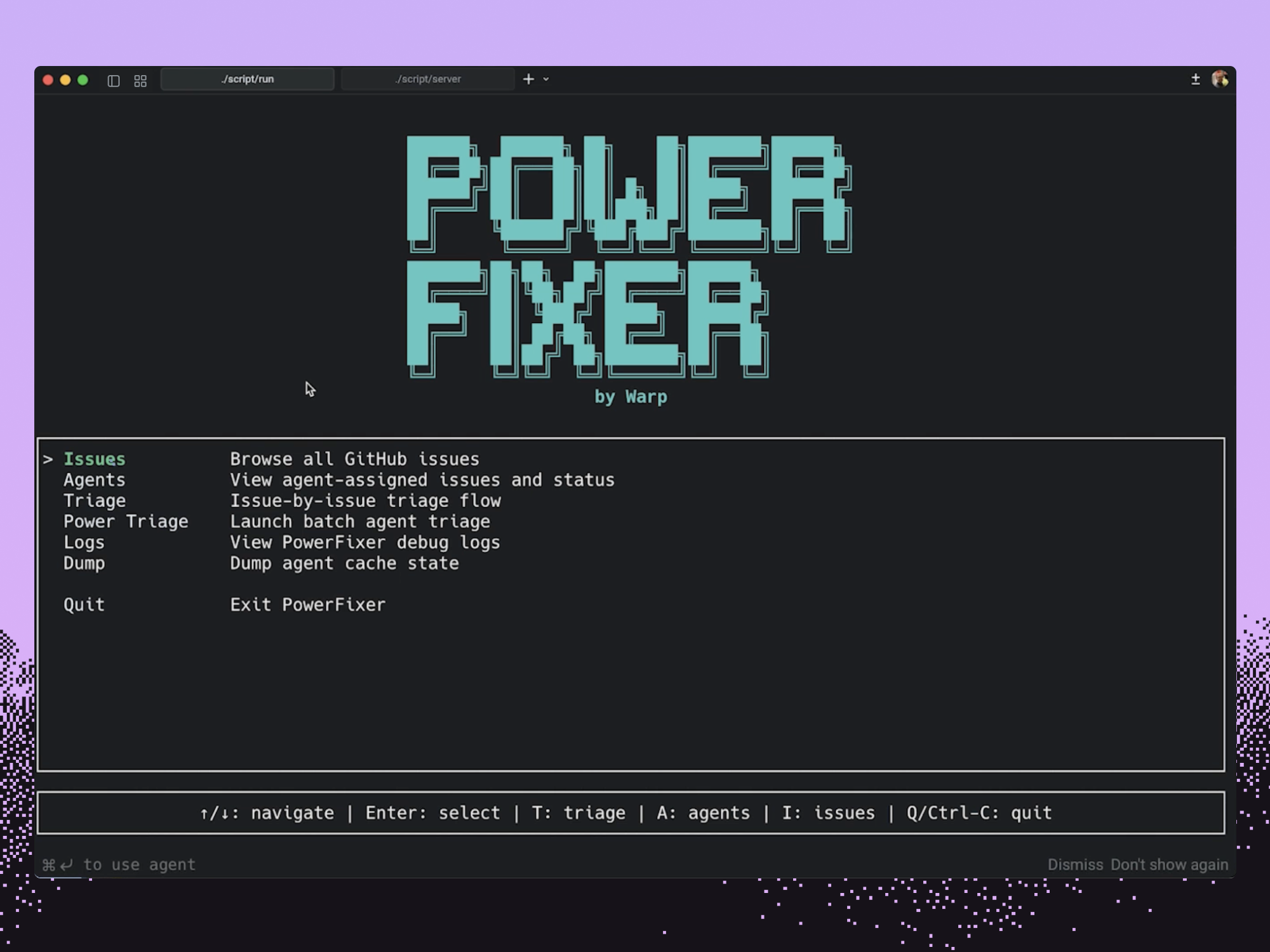
Before Oz, our team was:
- Manually tracking GitHub issues
- Adding bug fixes to a project-tracker like Linear
The long tail
Check out this YouTube playlist of additional Oz demos.
How Oz works
Oz is built in layers and is inherently flexible, which was a key design goal. Oz is easy to set up with Warp and it can also work as a standalone tool through the web or the Oz CLI.
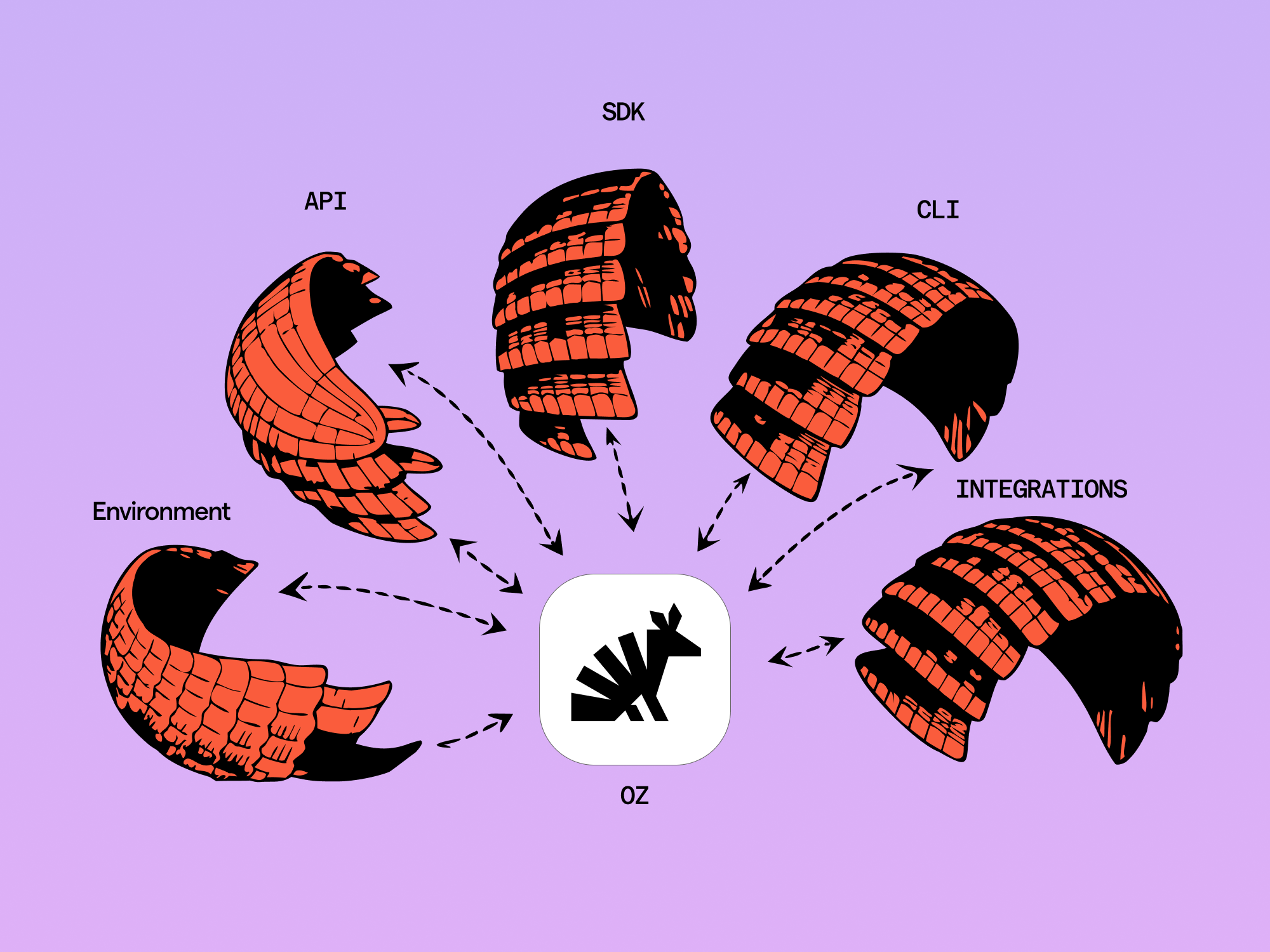
At its root, Oz is an orchestration platform. It comes with all the tools you need to build autonomous cloud agents: a CLI, API and SDK, cloud environments, and a built-in scheduler. It also comes with what you need to manage cloud agents: agent session sharing, artifacts to review agent work, and agent <> human handoff to continue work locally.
Full details are in our docs and quickstart, but I’ll give a short tour of the different ways you can work with Oz here.
Auto-tracking and local Oz runs
You can start a local Oz agent natively in Warp or through the CLI (installation instructions).
oz agent run --prompt “build something cool” --shareIf you’re using the CLI, you’ll notice that Oz will output an Agent Session Sharing link which lets you or your teammates track the Oz agent and steer it. If you’re in Warp, your Oz run automatically shows up in Warp’s management panel and also outputs an Agent Sharing link.
Agent Session Sharing links let you or your teammates watch the progress of the Oz agent and hop in and steer it. They’re an example of Oz’s auto-tracking capabilities.
As an Oz agent runs, it may create “artifacts” like PRs, branches, plans – all of those are available in the session view, or through the oz CLI and API programmatically.
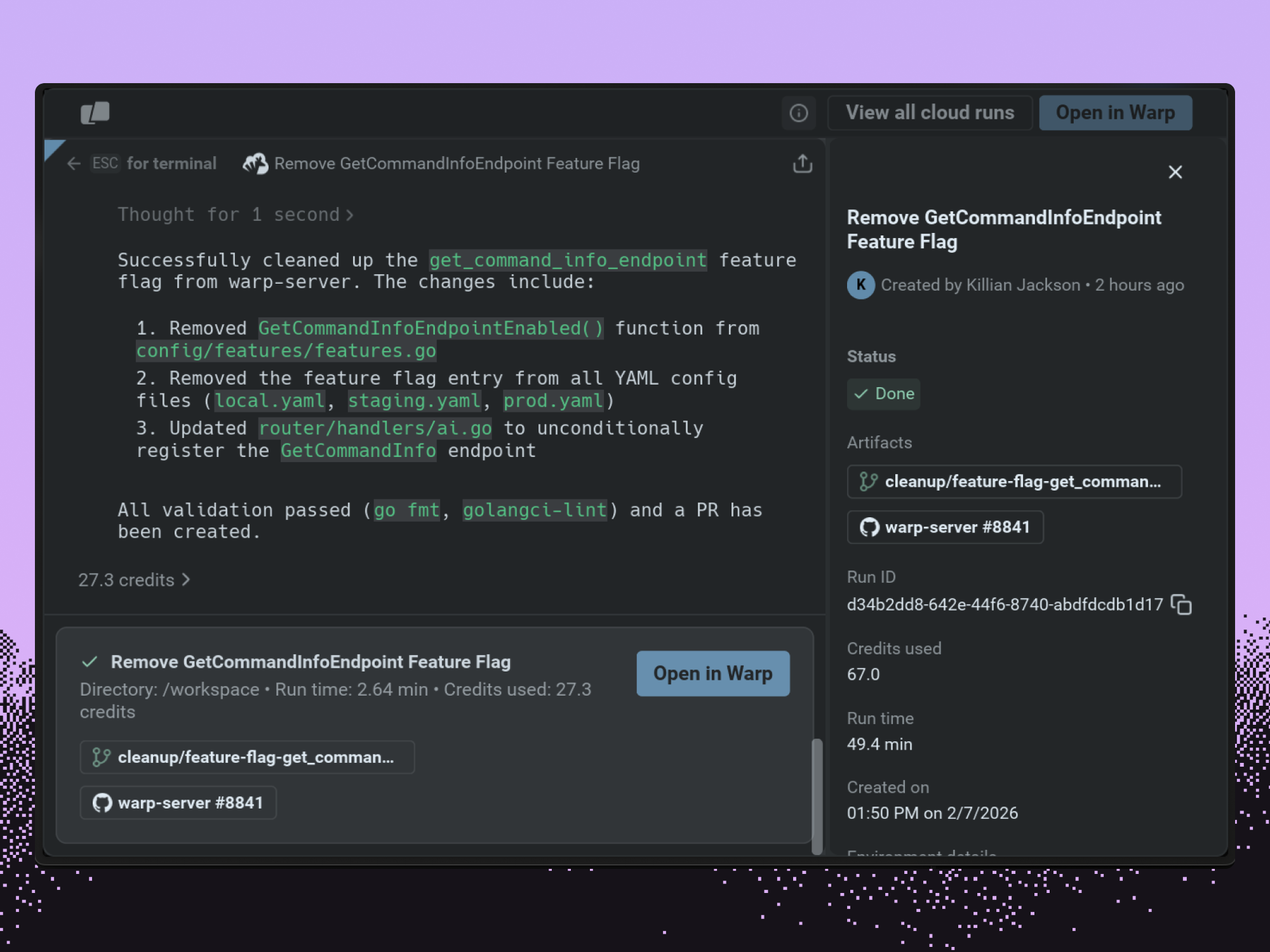
Again, you don’t need to do anything other than run oz to get all this - no standing up internal agent stacks, etc.
This also all works no matter where you run oz - so you can run it on your own infra, in a GitHub action, a remote dev env, etc, and still have all the auto-tracking features.
Oz cloud agents and environments
Oz is more than just an auto-tracked orchestration agent though; Oz is a whole stack for scaling auto-tracked agents in the cloud.
Running Oz in the cloud requires you to set up an environment. Environments are Docker containers + git repos + startup commands.
Environments are extremely flexible— you can add an arbitrary number of code repositories to give your agent full context on your team’s projects. This enables cross-repo changes like server/client contracts or updating internal documentation. Environments are also shared across your team by default.
Environment setup typically takes less than five minutes with the agent doing most of the work. You can set up an environment in multiple ways:
- Use the /create-environment slash command in Warp
- Use the Oz web app where we will create an environment based on a specific GitHub repo
- Use the Oz CLI, API, or SDK
Once you have an environment, you launch Oz agents in it.
oz agent run-cloud --prompt “build something cool” --environment <slug>This will launch your agent into the cloud on Warp’s hosted infrastructure. We also have a self-hosted option for enterprises.
The agent will then run in a cloud environment powered by Docker, following the prompt. As with the first example, these agents are all auto-tracked so you get full API and interactive access to them, along with a persistent record of the work they’ve done.
Ways to start cloud agents
Oz cloud agents are very flexible. In addition to launching via the CLI, there are many other entrypoints:
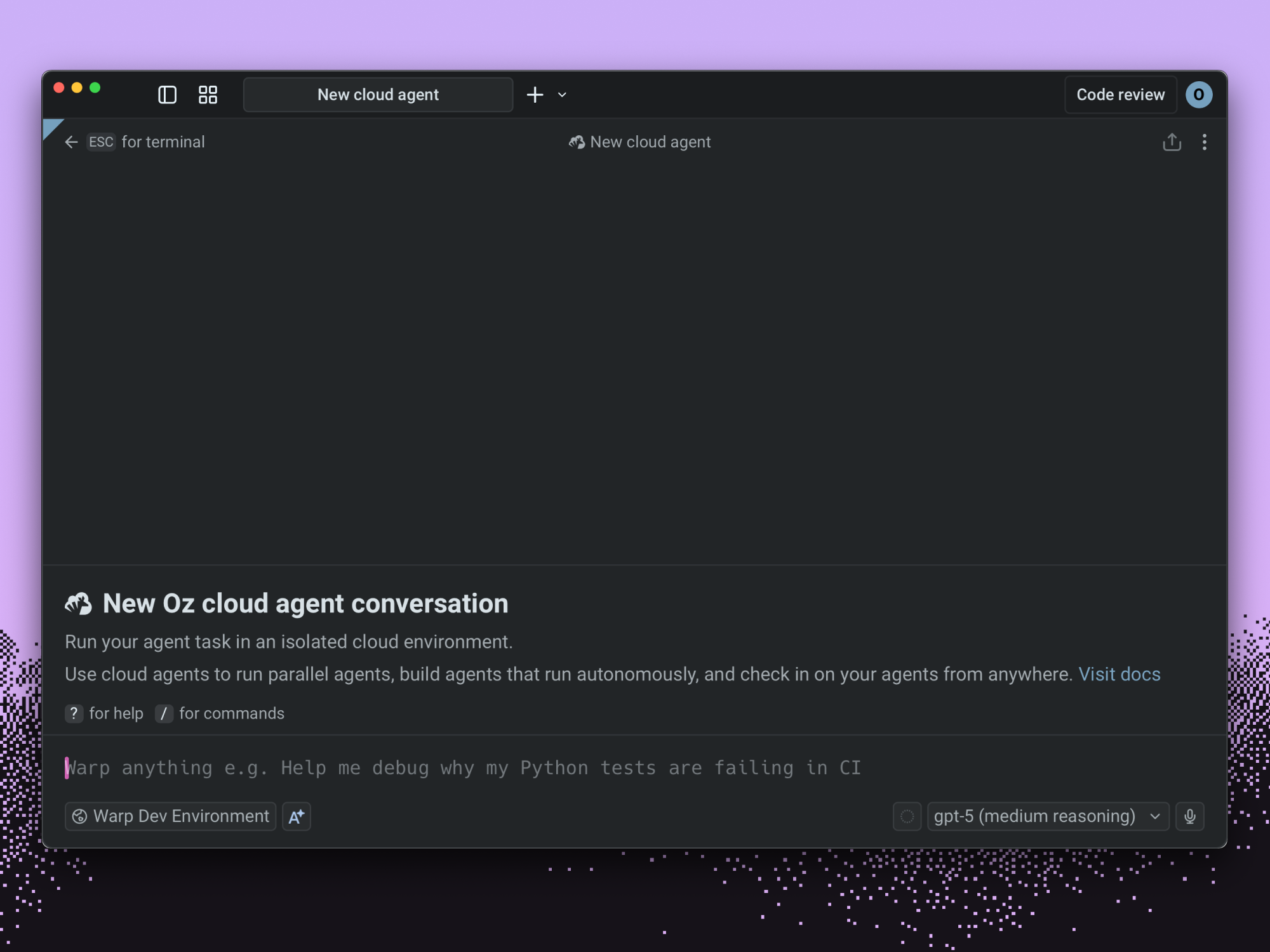
- API / SDK access for launching via REST
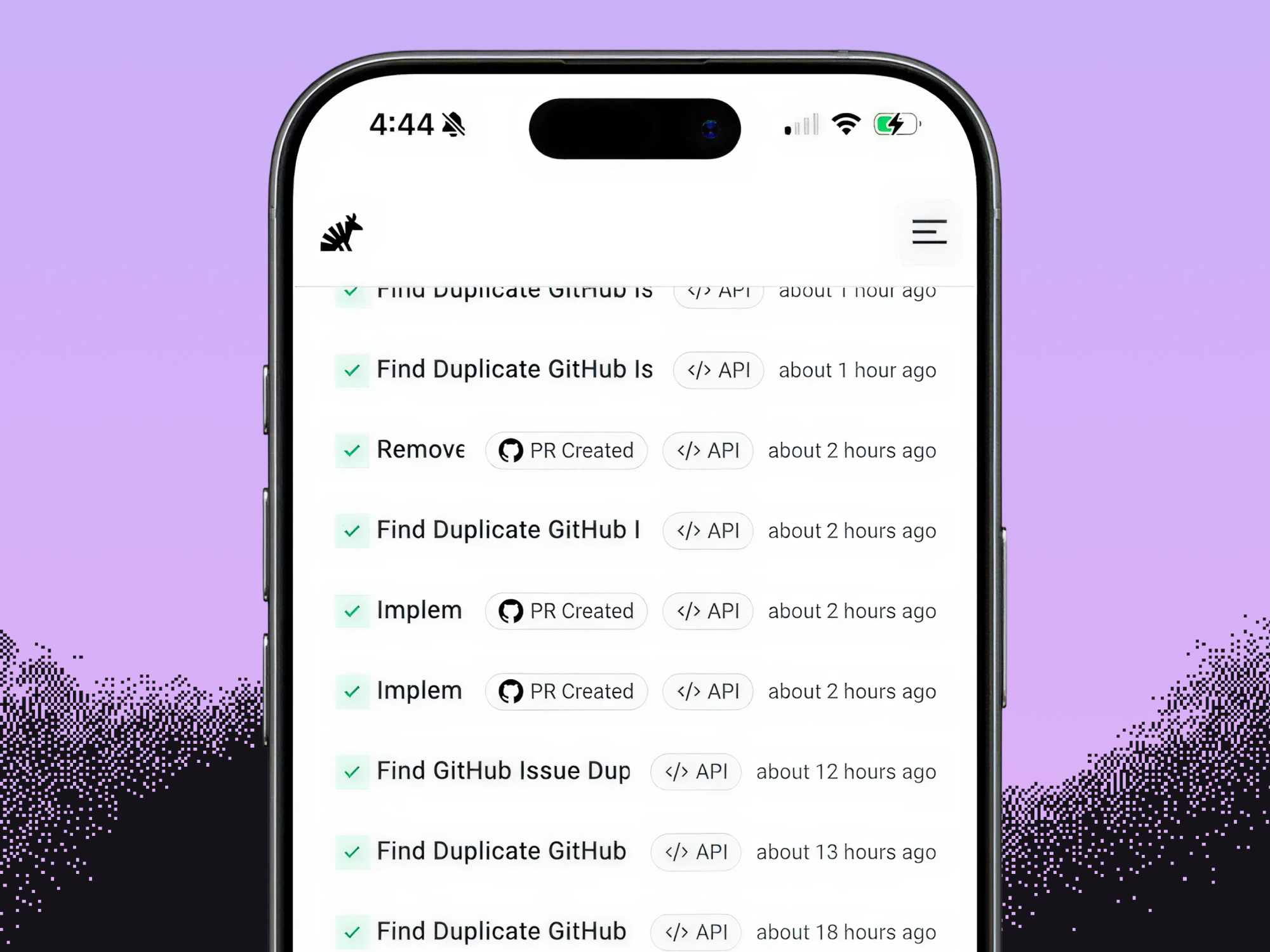
- Oz web app access for on-the-go access and an admin view
- Warp terminal's Cloud Mode – use our interactive interface to control remote agents
- Time based schedules
The API and SDK are most useful for building apps on top of Oz, like in the PowerFixer example above.
The Oz web app is useful as an admin view of all the agents that your team is running. It also is the best way to get access to Oz agents on mobile.
“Cloud mode” within Warp is the best way to interactively work with cloud agents using the same interface you get with local agents.
Skills as agents
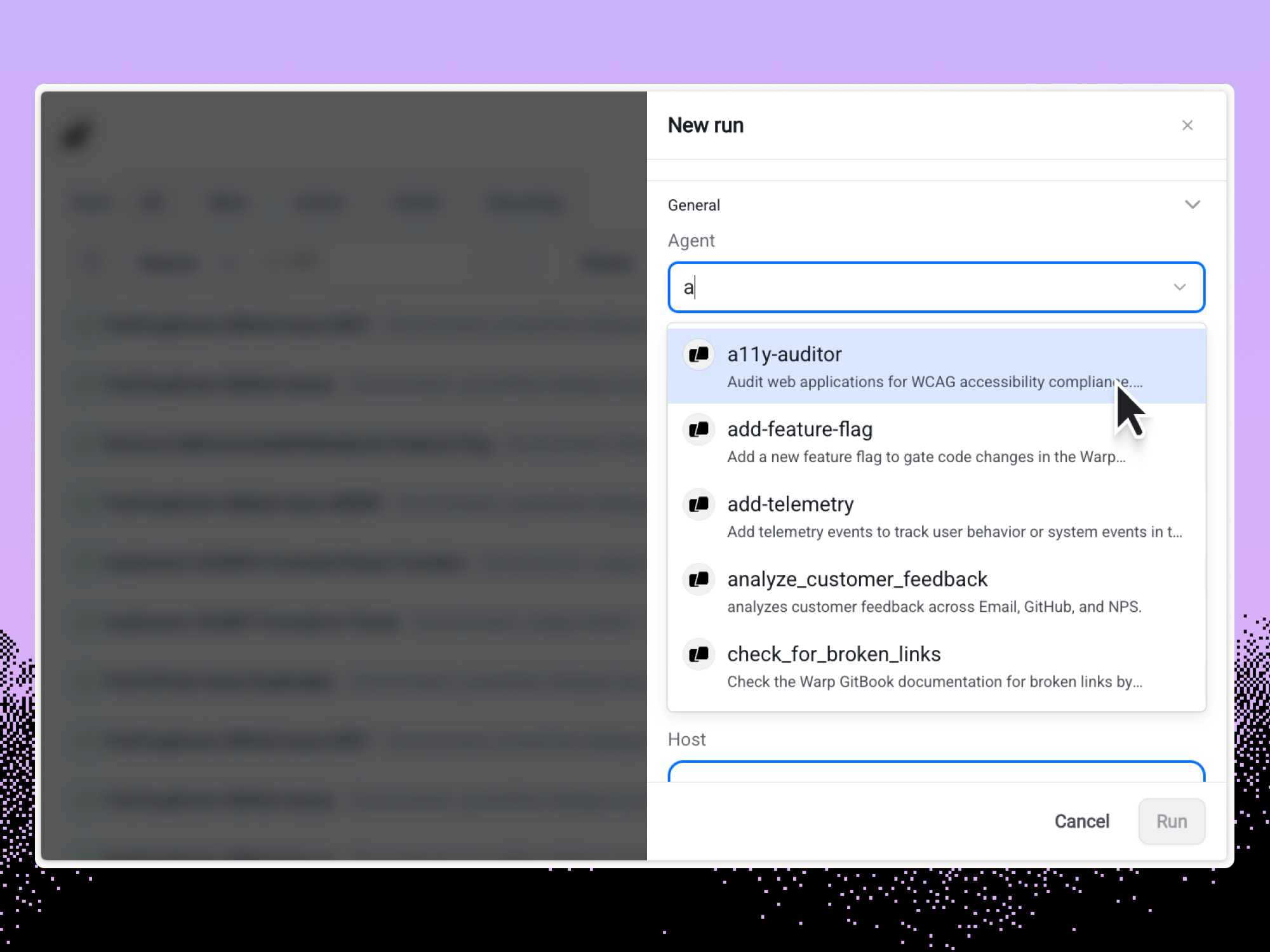
In Oz, any Skill is launchable as an agent, including Skills created for other coding agents like Claude Code, Codex, etc and any Skills in a ‘.agents/’ directory.
oz agent run-cloud --skill <slug> --environment <slug>With this command, we specify a Skill to run in the cloud. While agents are started with one Skill, they have access to any Skills that are in their environment.
Turning one-off agents into automations
In addition to firing agents on demand, Oz agents are meant to be used in repeated automations.
For example, you can set Oz agents to run a Skill on a pre-set schedule.
oz schedule --skill "flag-cleanup" --cron "0 2 * * *" It takes the cron format if you specify from the command line, and you can also set up schedules from the Oz web app.
Programming Oz
Finally, Oz is completely programmable and meant to be used in any app that you want to add intelligence to.
You can program Oz through our CLI, API and SDK and anything you can do interactively is available programmatically.
We use Oz internally for issue triage, fraud detection, competitive research and more – the key insight is that coding agents are incredibly powerful for adding intelligence to any app. As part of the launch we have open-sourced a number of skills that showcase Oz’s power.
You can get started building on Oz by following the docs here.
Pricing
Oz is available to all Warp users on free or paid plans. Oz agents are primarily priced based on a combination of AI usage and compute usage (when run on Warp’s hosting). Both AI usage and hosting are included in the total credits consumed by an agent.
For the month of February, all Build, Build Business, and Max users receive 1,000 bonus cloud agent credits. Anyone who upgrades during the month will receive the same. Bonus credits are only usable on cloud agents hosted by Warp, and will expire in 30 days.
Orchestration at scale
Every company that is building software will need to deploy agents at scale. 2025 was the year of interactive agents. 2026 will be the year of agent orchestration.
Oz is how Warp makes this as easy, as powerful and as flexible as possible – we are excited to hear what you build with it!
Get started today by downloading Warp, visiting oz.warp.dev, or installing the Oz CLI.
Start your software factory
Book a demo and we’ll walk you through the workflows that map to your stack.
Related articles
Jun 18, 2026Company
7 min
We are now factory engineers, not product engineers
7 min
Jun 12, 2026Company
5 min
How Rectangle Health Built an AI Teammate That Writes Its Own Code
5 min
Apr 28, 2026Company
4 min
The virtuous loop of open, automated development
4 min
Mar 16, 2026Company
8 min
What happens when you give the company 4 hours to automate everything
8 min
Dec 30, 2025Company
8 min
Warp Wrapped: 2025 in Review
8 min
